Wednesday, 22 October 2014

Update!! Download And Install Google L Keyboard On Your Android

Google L keyboard is now available for Nexus 5 7or any device running 4.4 rooted devices only, Bejunk over at XDA ported the keyboard and shared a flashable .zip that will give you the new keyboard with the Material Design theme.
This keyboard is assumed to work on all ROM base on 4.4k
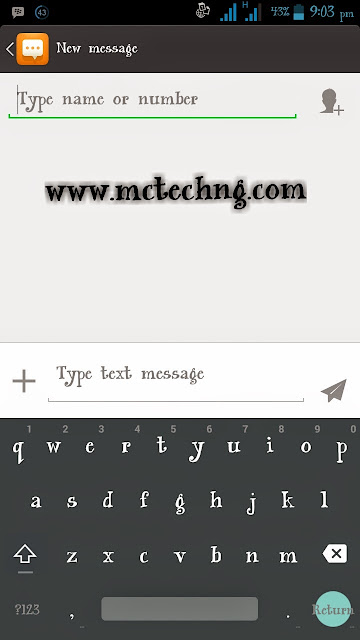
If you have the Google Keyboard installed, you should uninstall it or delete it from /system/app, using explore then download the zip here and flash it in either with ClockworkMod or TWRP recovery. After you are done with that,go to settings in order to config this keyboard. Form, go to Keyboard Settings,>>>> Advanced (Expert) Settings and select “Material” in color scheme.
VID XDA
How To flash zip to your cwm
>>>Switch off your phone, and wait until it vibrates.
>>>Now boot into recovery mode, press & hold the following combination of keys together: “Volume UP + Home key + Power button”
>>>Use the “Volume  UP & DOWN” keys to navigate/scroll through the options in the recovery
>>>Use the “Power button” to select an option in the recovery
>>>Transfer the “.zip” you want to flash on your sdcard. The best way is to save the file in the root of the SD Card. But you can also save the file in any folder you wish on your SD Card.
>>>Boot into recovery mode [See instructions above]
>>>Now Scroll to “install zip from sdcard” and select it.
>>>Select  “choose a zip from sdcard”.
>>>Scroll to the file and select it.
>>>Now confirm installation by selecting “Yes — Install flashablezip”
Once the installation is complete, go back and select “reboot system now” and enjoy

Tuesday, 21 October 2014

Simple Trick To Get More Traffic To Your Site/Blog

What I'm about to tell you know now, might sound strange to your understanding, days ago I was looking for an easy way to get my blog on a heavy traffic, but yet I couldn't find a better way for it.. till last week, I saw a comment on Linkin which was saying some interesting things about traffic along with a link so as a curious person I'm, I login through the link to see what I can
find. But to my surprise I meet my golden wishes
Guess what wishes could that be?
Well let not waist much time on this. As I visited the site they asking me to register for a free traffic generating, I did today I can tell you that my blog has been growing in GP.
Your questions now would be how can we do this. Dear its very simple and easy just click here and fill up all this necessary thing and you are good to go
I would like to see your testimonies later on the comment box

Friday, 17 October 2014

How To Browse All Day With Your Free 3.5gb MTN Weekend Promo


I noticed that many of my readers were unable to use them
Free 3gb weekend promo on normal days,
Don't worry, I will put you all through on how to use it,


TAKE THE STEPS  BELOW

Download Simple Server for android HERE
» Goto your phone, internet settings Set your phone
Access point to: web.gprs.mtnnigeria.net While IP:
127.0.0.1 and Port: 8080
Open the downloaded simple server and configure as
Follows:
» Proxy Host: 10.199.212.2
» Port: 8080
» Injection Method: get-
» Injection Query/Url: http:/www.facebook.com/
MTNloaded
» Injection Host: www.facebook.com/MTNloaded
» Injection Line: Press the enter key of yours
Keypad 4 times
» Log level: Debug
SAVE and connect your data, you are through now enjoying 3GB data on Android

Sunday, 12 October 2014

How To Change Your Android IMEI With Mobileuncle Tools


How to change imei number by using mobile uncle tools

NOTE: It only works on rooted mtk 6577/6575 smart phones.but you can chnage Infinix imie with out rooting

As-usual this post is only for your information and i may not be responsible for any of the misuses done by you and we are not responsible by anyways.

WHAT TO BENEFIT: -
- You will enjoy using BB BIS Subscription on your android. (NB: only glo bis working for now)


Requirements:

-Works on rooted mtk android smart phones only
-Mobile uncle tools
-A valid email number

DOWNLOAD:mobile-uncle tool

Procedure:
1- Go to Engineer mode in the mobile Uncle tool. and click Engineer mode

2- Select Engineer mode[MTK]

3- Go to CDS information


4- Select Radio Information

5- Select the phone 2 (if you want to change sim2's imei number)

Here you can see a command line with “AT+........”.
Now just add this command to it AT+EGMR=1, 10,”then 15 digits of YOUR NEW IMEI NO”
And press “send at command”button.

[ If you want to change the phone 1 IMEI just use this option

AT+EGMR=1,7,”NEW IMEI NO”]

Now you can restart the phone and enjoy your new IMEI NO.

If you have any doubt, please feel free to ask…

Or if it did not work for you, try using the PC method

How To Upgrade Your Nokia OS


Nokia is one of the leading phone in NIGERIA before tecno and other company took place,,, but still yet many are still using Nokia. I write this in order to carry along all my readers not minding the kind of cell phone you are using,  below is the procedure on how you can upgrade your nokia Os


HOW TO UPGRADE NOKIA OS

REQUIREMENTS

* USB Cable
* Nokia_pc_suite
* Nokia software update
*

PROCEDURES TO TAKE

install Nokia PC Suite and Nokia Software Updater on your pc

connect your cell  phone to your  through  USB Cable

run Nokia Software Updater

wait for it to confirm your phone and it update

when it has display your phone and it update

click and  wait for it download   and install..

after that your  phone will re-boot .

And will come up  with a new version...

NOTE: MAKE SURE U HAVE A GOOD NETWORK ..
YOUR  MODEM MUST BE CONNECTED .

Your Comment is your feedback

Thursday, 9 October 2014

How To Change Your IMEI and GET 1.5gig OF Etisalat Data For FREE!!!!!

 Readers no dulling grab your share before they block it, the steps below will lead you to a smiling planet, I meant it will make you happy and as well put smiles on your faces. I know it has been long i posted on this blog due to exam... But it's almost over. Let's go straight to the show, all you need is Android phone be it Tecno, HTC,Infinx etc.


==>Generate your imei
==>Change your imei
==>Get your MB
 
How Can I Get 500MB + Extra 1GB Every Month From Etisalat?

1) The first thing we need here is the first  8 digits of the Infinix Zero IMEI which is 35585906
2) Remaining 7digits. You can put any 6 digits you like to remain the last digit. E.g 011227 making it looks like this 35585906011227x
3) To get the last digits, go to this site here
4) And click on IMEI Number Analyser
5) Enter the 14 digit IMEI and click on a check, it will provide you with the last digit.
6) Copy it and tweak it to your MTK Android device. If you are new to tweaking IMEI, Click here or use the mobile uncle method.
7) Once your IMEI has been successfully changed, Send MID to 8186 and 500MB will be given to you.
Mind you, you’ll be receiving this 500MB every month for good 12months.
Not all ooooo, still follow me carefully.
Once you’ve received the 500MB, you can do the below:
8 Look for Tecno P3 IMEI, Tecno R7 IMEI, Tecno F7 or IMEI or Phantom Z IMEI, get the first 8digits of the IMEI and repeat the steps above for the Infinix Zero,
9) For Tecno F7 and R7 the first 8digits IMEI is 86115502 & For Nokia X IMEI, the first 8digits is 35304606
Finally Send Nokia X to 8186 and more MB will be given to you.


On the other hand, you can as well grad 1.5gigs of data by using samsung imei.
Drop your Email if you need imie

Wednesday, 8 October 2014

How To Browse Unlimited With Etisalat Sim


I haven't write for long now because of my exam, but soon I would be through . below are the produce to take in other to gain a free access to unlimited downloading with your Etisalat sim


Requirements

Etisalat simcard
Easycliq sim or you can  migrate to easycliq by  darling  *244*1#

How to activate the unlimited browsing

Dail this code *229*5*7# and  wait till you receive a message like this

 "you are on the etisalat paygo pulse browsing will attract 15# per 5min"

Once you receive the message,gohead and load 100# airtime and you will be given 5mb

After you are done with the above power on your browser and  start downloading.Exactly 55min your connection will stop just disconnect and connect to enjoy back.

Your 100# will not be touched, you can as well  use *228# to check your data balance all you should see there is 0.48mb


NOTE:you should not  open the follwing;2go,youtube or any streaming website be it audio/video
If mistakenly Visit Streaming Website?
Once you enter any streaming website,you  will know because etisalat will start to send you multiple messages and your 0.48mb will be a story to tell

We all know etisalat do give free mb for just 1week so once they deduct it through the aid of streaming website,you will have to wait till the next week to activate again the magic sim.
But,you can still browse unlimitedly for just one day with just 5# follow the  steps below

==>Dail *229*5*7# and wait for the message i posted earlier
==>Then,Load your 100# and dail this code *330*1# you will be given 1mb for one day
==>Power up your browsers and start browsing, but once you mistakenly visit streaming website again,dail *330*2# to optout then,opt in again with *330*1#

Please if you are confuse in any way, please do comment !!!!