Wednesday, 29 October 2014

MTN Bis Is Back And Better Enjoy


Guys, you need to enjoy this and don't forget to invite your friends too


How To Do It

Subscribe to a BIS plan:

Daily - BBCDAY to 21600
Or
Monthly - BBCMONTH to 21600

Download MDroid Here

After downloading install and launch MDroid, fill in Settings, then Start Proxy and wait the server communication to successful,

Once that is done, set your phone Access point
Proxy - 127.0.0.1
Port 8080.

Now Use ProxyDroid or Autoproxy if you want to power other apps

This the best that you would ever think of, it's very fast at browsing speeds, and uses US IP address.

Test Account:
username - acctest
password - acctest

You can upgrade your account  Here

In case if you have any network issue due turn off and on your data connection for your proxy to restart

Enjoy and if you have any questions, kindly make use of the comment box


Sunday, 26 October 2014

Enjoy Cheap Call Rate On MTN

MTN iPulse is a special campus tariff plan that allows you enjoy a FLAT rate of 11 kobo per second for calls to ALL Local Networks after the first minute of MTN-to-MTN calls and MTN-to-Other networks calls at 40 kobo per second respectively. This tariff is available across all major higher institution campuses across Nigeria. You can also enjoy N2 on sms. 
To Migrate to MTN iPulse, dial *406# or send 406 to 131.
Why MTN iPulse?

With MTN IPulse, you get life enriching services that make you live more, laugh more and love more.
You will enjoy the following benefits:
Campus rate - Flat rate of 11 kobo per second when on campus for calls to ALL Local Networks after the first minute of MTN-to-MTN calls and MTN-to-Other networks calls @ 40 kobo per second respectively daily and SMS @ N2 per SMS.
Flat rate of 15 kobo/second for calls to ALL Local Networks after the first minute of MTN-to-MTN calls and MTN-to-Other networks call at 40 kobo per second respectively outside campus locations.
Flat rate of 11 kobo per second at certain periods of the day when you are not on campus.
Free 10MB weekly on N100 recharge.
1 FREE Facebook bundle on 1st monthly recharge of N100 or more
1 month FREE Music+ subscription
30-days Free callertunez subscription
1 Free Caller tune for 1st 30 days
Super discount on 1 callertune every single month
7 days FREE subscription to mAcademy
Free Diamond Yello Account opening upon migration
End of Call to inform you of your call duration, total call cost and airtime balance.
FREE Happy Hour calls to MTN numbers from 00.30am to 04:30 every day (including weekends) as long as you have minimum balance of N100 in your account at 00:30.
Lots of life-enriching products and services.
How MTN iPulse works
Simply dial *406# or send 406 to 131 and migrate to MTN IPulse.
From 12:00am (00:00) on Day 1, MTN will begin to record and accumulate the duration of MTN-to-MTN calls and MTN-to-Other networks calls that you make.
The first minute of MTN-to-MTN calls or MTN-to-Networks calls that you make will be charged at 40 kobo/sec.
As soon as you make a total of 60 seconds of MTN-to-MTN calls, only your MTN-to-MTN calls will be charged at 11 kobo per second (if you are within a campus) or at 15 kobo per second (if you are outside a campus) BUT your MTN-to-Other networks will still be charged at 40 kobo/sec.
As soon as you make a total of 60 seconds of MTN-to-Other networks calls, your MTN-to-Other networks calls will then be charged at 11 kobo per second  (if you are within a campus) or at 15 kobo per second (if you are outside a campus).
At 11:59pm (23:59) on Day 1, your total call duration will be re-set to 00:00 minutes and your MTN-to-MTN calls or MTN-to-Networks calls will return to 40 kobo per second.
At 12:00am (00:00) on Day 2, the same will happen - after your first one minute of MTN-to-MTN calls or MTN-to-Networks calls at 40 kobo per second, your MTN-to-MTN calls and MTN-to-Other Networks calls will be charged at 11 kobo per second or 15 kobo per second for the rest of the day depending on your location.

Thursday, 23 October 2014

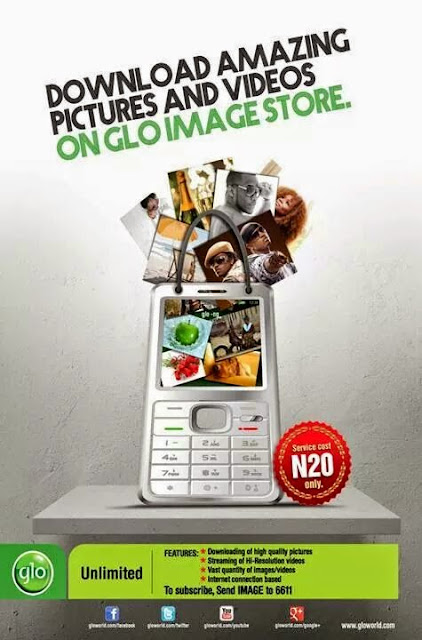
Glo Unlimited Download With #20

Wooo Glo is back again with an amazing plan for all they users,why wont you rock this ?
Download unlimited
Pictures
Videos
Just on the Glo Image Store.
Features
High quality pictures,
Streaming of Hi-Resolution videos,
Vast quantities of images/videos and so much more... Service cost N20 only.
To subscribe, send IMAGE to 6611.

Frequently ask Questions
Can this download form another site
Is their any way to make it work on another app
And so on
The answer for now is No
But we would update once we crack a way for that thanks and stay tune

Wednesday, 22 October 2014

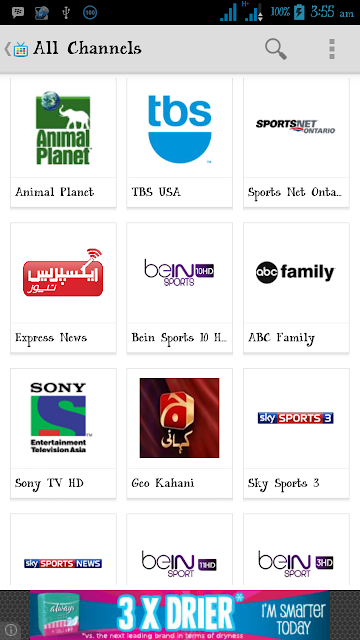
Watch Live Matches On Your Android, iPhone ,Symbian and BB

I know it has not been easy for Nigerians to watch live matches using their smart phone,due to high data charges in the country. But it doesn't mean you should not stream at all. You can make use of free area WiFi or better buy a cheap data. The List below are some of the live streaming apps for the following devices: Android, iPhone, Symbian and BB

For Android download
For BB download
For Symbian download
For iPhone download
And for other devices click here

Update!! Download And Install Google L Keyboard On Your Android

Google L keyboard is now available for Nexus 5 7or any device running 4.4 rooted devices only, Bejunk over at XDA ported the keyboard and shared a flashable .zip that will give you the new keyboard with the Material Design theme.
This keyboard is assumed to work on all ROM base on 4.4k

If you have the Google Keyboard installed, you should uninstall it or delete it from /system/app, using explore then download the zip here and flash it in either with ClockworkMod or TWRP recovery. After you are done with that,go to settings in order to config this keyboard. Form, go to Keyboard Settings,>>>> Advanced (Expert) Settings and select “Material” in color scheme.
VID XDA
How To flash zip to your cwm
>>>Switch off your phone, and wait until it vibrates.
>>>Now boot into recovery mode, press & hold the following combination of keys together: “Volume UP + Home key + Power button”
>>>Use the “Volume  UP & DOWN” keys to navigate/scroll through the options in the recovery
>>>Use the “Power button” to select an option in the recovery
>>>Transfer the “.zip” you want to flash on your sdcard. The best way is to save the file in the root of the SD Card. But you can also save the file in any folder you wish on your SD Card.
>>>Boot into recovery mode [See instructions above]
>>>Now Scroll to “install zip from sdcard” and select it.
>>>Select  “choose a zip from sdcard”.
>>>Scroll to the file and select it.
>>>Now confirm installation by selecting “Yes — Install flashablezip”
Once the installation is complete, go back and select “reboot system now” and enjoy

Tuesday, 21 October 2014

Simple Trick To Get More Traffic To Your Site/Blog

What I'm about to tell you know now, might sound strange to your understanding, days ago I was looking for an easy way to get my blog on a heavy traffic, but yet I couldn't find a better way for it.. till last week, I saw a comment on Linkin which was saying some interesting things about traffic along with a link so as a curious person I'm, I login through the link to see what I can
find. But to my surprise I meet my golden wishes
Guess what wishes could that be?
Well let not waist much time on this. As I visited the site they asking me to register for a free traffic generating, I did today I can tell you that my blog has been growing in GP.
Your questions now would be how can we do this. Dear its very simple and easy just click here and fill up all this necessary thing and you are good to go
I would like to see your testimonies later on the comment box

Friday, 17 October 2014

How To Browse All Day With Your Free 3.5gb MTN Weekend Promo


I noticed that many of my readers were unable to use them
Free 3gb weekend promo on normal days,
Don't worry, I will put you all through on how to use it,


TAKE THE STEPS  BELOW

Download Simple Server for android HERE
» Goto your phone, internet settings Set your phone
Access point to: web.gprs.mtnnigeria.net While IP:
127.0.0.1 and Port: 8080
Open the downloaded simple server and configure as
Follows:
» Proxy Host: 10.199.212.2
» Port: 8080
» Injection Method: get-
» Injection Query/Url: http:/www.facebook.com/
MTNloaded
» Injection Host: www.facebook.com/MTNloaded
» Injection Line: Press the enter key of yours
Keypad 4 times
» Log level: Debug
SAVE and connect your data, you are through now enjoying 3GB data on Android