Showing posts with label BlackBerry. Show all posts

Thursday, 13 August 2015

New Update From Facebook (Facebookthanks)

Hello this morning as I  was checking on my Facebook notifications, I came across this  great feature from Facebook called Facebookthanks. I was very excited and I decided  to share with you all about the new update and some of the amazing things about it, below is a screenshot of what I saw this morning


So good and lovely, I strongly believe that 99% of Facebook user would love it, not only that. It would drive more user to Facebook, because many people love, appreciation and Facebook being a smart social provider has given that to their users. The most exciting part of it, is that, you can create a thanks video clip on any browser, such as: PC browser, Mobile browser and on the Facebook app.

You can Watch me Facebook thanks  Video  clip
  
The Question maybe  how can one   create the video clip?  Creating your own thanks video clip is as easy as ABC just visit facebook.com/thanks

Please share your thought about this new update  from Facebook and if you have tried the new feature, kindly share your feeling about it. 

Saturday, 30 May 2015

How To Make Calls On BlackBerry, After Radio Mode Is Off/Disactivited

Black Berry is counted as one the toping smart phone in the market, with a large number of users worldwide. In the post I will write about how to make calls on your blackberry smart phone, after the Radio Mode is off. I know it will sound strange to some people and familiar to some, this trick exists for a long time now, but not all blackberry users know about it or even how it works. Believe me, you have come across a helpful trick today and you would be very grade to share it with friends and loved ones
Now tell me, how do you feel when your blackberry  turn off radio mode? Good Or Bad?  Actually is not a good experience when it happens in a lonely or at a dangerous place, even when you can hardly see anyone to help you out in a critical moment. You might be in a traffic, at the same time you might want to meet up with an important meeting or appointment, and it happens that your BB  has disable radio mode, and you might be running up and down trying all mess to get in touch with the head of the meeting or call your partner to inform them of your situation. Chill up I have a solution to the problems, just take your time to read this post to the end.
I think you would like to read my personal experience about the issue of radio mode off. It was on Thurday morning, I wake up and was ready for school before I  got a call from my call rep that we would be having a quiz by 10.00 am, so I decided to sit back and do some homework, unfortunately we had no light at home , AT 9.00 I embossed a bus going to school in order to meet up with my quiz not knowing that the quiz has been  canceled   and I couldn't reach my class rep because my phone was on SOS Radio mode off, when I meet my class rep at school he laugh and told me that the quiz won't hold again, I was like gosh  had it been my phone wasn't in radio mode off I would have received the latest information about the quiz. That's it, I don't know what your own experience was, but let get it solved   
How To Make  Calls On Black Berry, After Radio Mode Is Off/Disactivited 
Remender Radio mode turns off at limited percent, and when that is done, you can only play music with your smart phone, but you will not be able to call or receive calls till you charge your phone
Good news, you can make and answer calls after your smart phone turns radio mode off by dialing a code  Code? Yes code. You can make calls up to1hr with this trick
Just dialing 911 and your phone will automatically turn on radio mode, which allows you to make a call for some period of time

Wednesday, 29 April 2015

How To Upload Videos On YouTube Channel From Mobile Phone

Today I will be writing about how to upload video to a YouTube channel using a YouTube mobile application. YouTube is a platform that allows user of various kind to upload and share videos among other users and for business purposes, such as advertising for new product/goods , comedians for new comedy videos , music videos, local news video etc. 
How to upload video on YouTube With Mobile Phone

In the post I will teach you, step to step on how to upload a video to YouTube channel using android YouTube app, with a clear screenshot for a better understanding

Step 1) Open your YouTube application and click/tap on the YouTube menu, it's located at the top right side of the YouTube app as shown in the image below 
How to upload video on YouTube With Mobile Phone
Step 2) Scroll down and tap on uploads, a new menu  will prompt with an option at the top side. 

Step 3) Tap on the upload icon as indicated on the image below 
How to upload video on YouTube With Mobile Phone
Step 4) An option will prompt for you to select a video, select any one you wish to upload and it will automatically State uploading to your YouTube channel. Once the upload is successful, you will get a notification by gmail to inform that your video is ready to SHARE 

Hope it won't be difficult for you to do? 


Monday, 30 March 2015

Airtel Free MB Code For 2015....

I can’t say the amount but just dial the below code you can share your amount with us here in our comment box.
Airtel Free MB Code 2015

1. Migrate to Club10 by dialing *166#
2. After just migrating dial *141*11*20#
3. This trick is perfectly working Or Just Dial These Straight Codes BELOW Accordingly;

1. Dial *141*13*50# And Press The Call SendKey

2. Dial *141*13*100# And Press The Call Send Key

3. Dial *141*13*200# And Press The Call Send Key

4. Dial *948*1# And Press The Call Send Key

5. Dial *141*13*1# And Press The Call Send Key

6. Dial *141*712*007# And Press The Call Send Key

7. Dial *141*712*001# And Press The Call Send Key

8. Dial *141*712*0# And Press The Call Send Key

9. Dial *885*0# And Press The Call Send Key10. Dial *223# And Press The Call Send Key 

Wednesday, 18 March 2015

Get 100gb And More On Your MTN SIM Card,Enjoy!!!!

The beginning of free browsing has just begun, the power of MC tech has restore. We have stood to serve you better, we have a good news. The good news is, you can now get 2gb and more on your MTN SIM without paying a din, we all know about imie tweaking and how it works?
Get 100gb and more on your mtn sim


Now we are going to make use of the newly launched ihot note Emile, I believe you all know how to tweak on? If not, learn here.with this  you can accumulate more than 100gb of MTN data on your SIM card

How to accumulate more gb on your SIM

Tweak this IMEI below

358429040022704
358429040022722
358429060086322
358429060086376
358429060086387
358429060086374

Just change the last 2 or 3 digits of the above imies and you will testify the glory of tech

After you have tweaked your imie, do the below procedure

==>Send  INFINIX TO 131
==>Dial *559*4# to check your data.

Enjoy and don’t forget to share with friend, for them to enjoy with you.


Saturday, 14 February 2015

How To Get A Valid Imie For Your Eti 1.5gb And Above

I understand that is very difficult for some people to get a valid imie these days, well I want to share this tips with you all, and I hope it would put smiles on your faces


But before I push to the tips, I would like to understand your feelings.

*How do you feel after changing imie to get 1.5gb and you end up getting the device has being used to redeem this offer?

*How do you feel after changing imei and you got a pending request?

*What about you getting  invalid imie?

If that is your problem, believe me it has come to an end,just follow the below proceed and you will become a boss. But before you continue read this

==) Always treat imie with old sim
==) When you get "" the device have already benefited from this offer, know it that the imie is go to go, just inset your new sim and garb the chance 
==) always generate imie with odd numbers for better chance to get it correct 

Below are tips to get more than 1.5gb on one eit  sim 

1.Get a registerd etisalat sim, and do not dial 200 on it, just launch your mobile uncle.

2. Tweak your imei with the Below imei : 353133061356111

3. Now open your message, type "MID" to "8186" twice and you most be fast
But if you got message failed, then Dial 200 and repeat the imei tweaking again.

After doing the above you can do normal note 4 imie or Samsung


Saturday, 7 February 2015

How To Get Free 10Gb With MTN Sim

Many people are struggling to get Gb from eti and airtel but here is another best way to get free mb from mtn without much stress, are you ready to learn this? Would you promise to keep it safe? If yes let throw the bow on the air. Below are the requirements
How to get free 10gb with  mtn sim

=) New or Old mtn sim
=) Imie analysis or you can guess it your self
=) Rooted device, but infinix users can do it without rooting
=) Mobil uncle

STEP 1: Get a new sim or better still use your old sim on any plan

STEP 2: make use of this Samsung imie, it offers you 100mb for each tweak.... Imie 359767053060 complete the last 3*digits

Are you new to imie tweak if yes learn HERE

After changing your imie turn your phone to airplane mode for a mins and turn back

Then after  Send Samsung to 131 and wait for a reply.
Smile and enjoy 😀

STEP 3: After You have been granted the 100mb, dial *559# to check your data balance

NOTE: The more You tweak Your imei, the more your mb accumulates….

I got more then on my sim the image above is just a new sim. So don't dull make use of this while it last.


Incase you have any questions make use of the comment box thanks and enjoy 

Monday, 2 February 2015

Update: WhatsApp Calling Feature Now Available On Mobile Devices


WhatsApp is out for the world to experience them fully, WhatsApp with over 700 million users wide world and also among the  popular messaging service owned by Facebook. The company has been doing great work to suit all users needs, but this WhatsApp calling will not only make the app better, but it will boost the rate people uses it.
New WhatsApp Calling Feature

WhatsApp calling has been launched in some countries like wise, few uses were invited to test the WhatsApp calling. While On the other hand WhatsApp calling can only run on the latest version of WhatsApp apk
:::WhatsApp Officially Introduced A Web Client(WhatsApp Web Version) For Chrome

Android runs on KitKat and above will receive the feature, but I strongly before this will work as normal on all Android versions.

Oh WhatsApp plus users should not panic because the WhatsApp calling will be fully integrated in the next update

Blackberry OS10 will receive the feature as well as other blackberry users but they need to upgrade

What about Windows, Symbian, and iPhone device, will it equally get this feature? Yes of cause the WhatsApp company will make the feature available


Bad News rooted device cannot access this feature, but the Good news is!! Rooted devices can get the features with a simple trick. Yeah, don't be in a hurry seat back and read this trick below.
==) Connect your device to a computer system using a USB (for Android user) ==) Open Windows Explorer anjd press Shift followed by right click, and select open command window.
===) Once the window prompt, enter this following command

am start -n com.whatsapp / com.whatsapp.HomeActivity

How To  Add  WhatsApp Calling Feature With Terminal Emulator for Android 

==) download Terminal Emulator From Playstore

==) Launch it and copy and paste the above code in it and press enter for it to execute the program. But make sure your WhatsApp is updated to the latest version
WhatsApp Calling tap
==) Once the above is down open your WhatsApp and you will notice the calling tab on the left top side of your WhatsApp

Note you can only make call with a person with the same feature

Sunday, 25 January 2015

The Introduction Of WhatSim For Unlimited Chat On WhatsApp Instant Messaging

WhatsApp has got many reasons to grow more higher, WhatsApp is one of the popular instant messaging with over $19. Millions users, days ago WhatsApp CEO promised a calling feature and  privacy settings has been updated to keep things going smoothly.
 Whatsim
Image got from WhatSim page 
Recently WhatsApp introduced a Web Version of the app. And now they also launched a SIM card called WhatSim, this SIM is specially made to suit the needs of users with free unlimited chat for the popular instant messaging app, I know few might not value this SIM, but many have gotten a better reason to make use of it. 

How would this WhatSim work? WhatSim will automatically connect to over 400 network providers in 150 countries. You don't have to worry about network signal, because the company has been doing great work to provide a sound coverage and signal to stay you connected all time and hours with other WhatsApp user such as families and friends etc. I think this is a great achievement, it has lower the cost of data wide world.

How can I get this WhatsApp?
WhatSim is sold at  €10 only, but more affordable in some countries. Like I mentioned above, it allows you to chat unlimited, which means you can equally share audio, video and pictures as you like. Believe it, it's a nice achievement and we hope for better more.
Source..... PR Newswire 

Wednesday, 22 October 2014

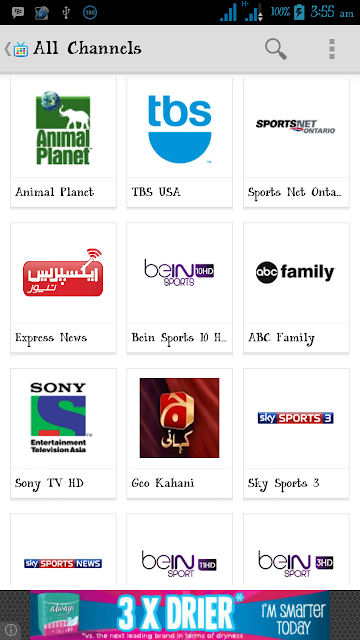
Watch Live Matches On Your Android, iPhone ,Symbian and BB

I know it has not been easy for Nigerians to watch live matches using their smart phone,due to high data charges in the country. But it doesn't mean you should not stream at all. You can make use of free area WiFi or better buy a cheap data. The List below are some of the live streaming apps for the following devices: Android, iPhone, Symbian and BB

For Android download
For BB download
For Symbian download
For iPhone download
And for other devices click here

Sunday, 17 August 2014

GLO FREE CALL CODE ..........WOAAAA ENJOY!!!!!!!

I  dont have  to say much on this,my work is to give you my best,this free code will put smile on your faces


let roll it


just dial *170*26#
and enjoy keep dialing the code